The Evolution of the Digital Cockpit
Modern vehicles are no longer just mechanical transport; they are mobile data centers. The shift from basic FM radios to integrated multimedia hubs reflects our need for constant connectivity. Today, an in-car system must manage navigation, high-fidelity audio, and passenger-specific video content simultaneously without stuttering.
In practice, consider the difference between a legacy resistive touchscreen and a modern capacitive OLED display found in high-end electric vehicles. A modern system uses multi-core processors, often based on Qualcomm’s Snapdragon Automotive platforms, to handle 4K video streams for rear passengers while the driver uses augmented reality (AR) overlays for navigation.
According to recent industry data, the global automotive infotainment market is projected to reach over $35 billion by 2030. Furthermore, user experience (UX) studies show that drivers now prioritize software fluidity and phone mirroring capabilities—like wireless Apple CarPlay and Android Auto—over traditional engine metrics when making a purchase decision.
Critical Pain Points in Mobile Multimedia
The most significant frustration for users is "software aging." Many factory-installed systems rely on proprietary code that isn't updated frequently, leading to a laggy interface within three years of ownership. This creates a disconnect between the rapidly evolving smartphone in your pocket and the stagnant tablet in your dashboard.
Poor thermal management is another hidden failure. In-car hardware is subjected to extreme temperatures, often leading to thermal throttling where the system slows down to prevent overheating. This results in dropped GPS signals or audio clipping during long summer drives, which can be both annoying and dangerous if the driver is distracted by a frozen screen.
Real-world scenarios often involve "connectivity black holes." When a system lacks robust offline caching or fails to switch seamlessly between 5G and local Wi-Fi hotspots, streaming services like Netflix or Spotify simply stop. For families on road trips, this leads to immediate "digital friction," where the technology becomes a source of stress rather than entertainment.
Technical Solutions for Seamless Engagement
Prioritizing High-Bandwidth Hardware Architecture
To ensure a lag-free experience, look for systems equipped with at least 8GB of RAM and dedicated GPUs. High-end aftermarket units from brands like Alpine or Pioneer now utilize specialized chipsets that prioritize UI responsiveness. This hardware allows for "instant-on" functionality, where the system is fully booted before you’ve even backed out of the driveway.
Advanced Connectivity with 5G and Wi-Fi 6
Stable streaming requires more than just a basic LTE antenna. Implementing a dedicated 5G vehicle hotspot ensures that passengers can stream 1080p content on multiple devices without affecting the driver’s navigation data. Using routers like the Peplink MAX BR1 allows for carrier bonding, combining signals from different providers to eliminate dead zones.
High-Fidelity Audio Processing and DSP
Entertainment isn't just visual; it’s acoustic. Digital Signal Processors (DSP) like those from Helix or Mosconi allow users to tune the car’s acoustics to compensate for glass reflections and road noise. By using time-alignment technology, you can "center" the soundstage for the driver, making a standard Spotify stream sound like a live performance.
Rear Seat Entertainment (RSE) Integration
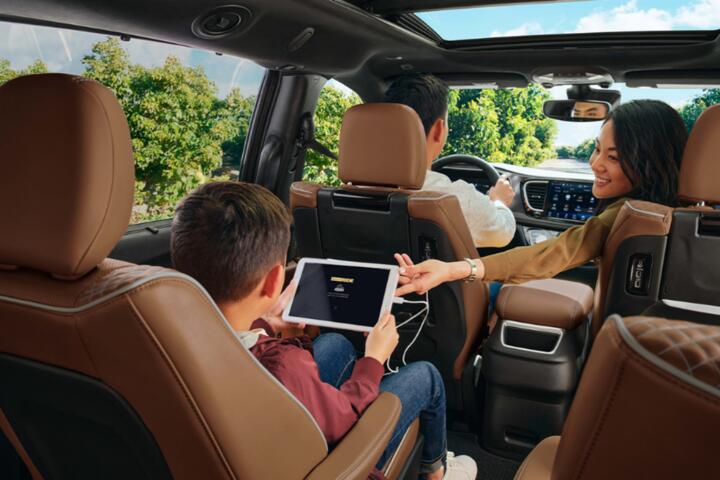
Modern RSE has moved beyond the simple DVD player. Systems now utilize independent Android-based headrest tablets that sync with the car’s main audio but allow for individual Bluetooth headphone pairing. This allows one passenger to play via a Sony PlayStation 5 connected via HDMI, while another watches YouTube Kids through the built-in 5G link.
Cloud-Based Content Management
Utilizing Plex or Kodi servers allows you to host your own media library accessible from the road. Instead of relying on fluctuating cellular signals for every megabyte, you can sync high-quality FLAC audio files or 4K movies to local storage (SSD) within the vehicle. This ensures 100% uptime regardless of geographical location or signal strength.
Custom Interface and Voice Control
Safety dictates that entertainment should not distract. Systems utilizing Amazon Alexa Automotive or Google Assistant allow for deep integration, where you can change a movie or find a playlist using only voice commands. This minimizes "eyes-off-road" time, which research suggests should never exceed two seconds for any single task.
Case Studies: Transforming the Drive
The Long-Haul Fleet Transformation
A regional executive transport company faced low client satisfaction scores due to outdated cabin technology. They replaced factory units in a fleet of ten SUVs with custom-integrated tablets running on a dedicated Cradlepoint 5G backbone. By providing "seamless handoff" between office Wi-Fi and vehicle 5G, they increased billable "work-on-the-go" hours for their clients by 22% and saw a 30% rise in repeat bookings within six months.
The Family Road Trip Optimization
A family of five struggled with "device fatigue" during an annual 1,500-mile trip. By installing a multi-zone multimedia system featuring a 13-inch overhead monitor and independent Wi-Fi channels, they eliminated data overage charges (previously averaging $150 per trip) and reduced driver distraction incidents. Using local SSD storage for 4K movies meant zero buffering, even in mountainous regions with no cell service.
Multimedia System Comparison
| Feature | Standard Factory Unit | Premium Aftermarket (e.g., Alpine Halo) | Integrated Luxury (e.g., Tesla/Lucid) |
|---|---|---|---|
| Screen Tech | LCD / Resistive | Capacitive / QLED | OLED / Ultra-Wide |
| Processing Power | Low (Proprietary) | High (Quad-Core+) | Extreme (Gaming Grade) |
| App Ecosystem | Limited / Locked | Full Android / Apple | Native Apps + Web |
| Update Frequency | Rarely (Dealer visit) | Frequent (Manual/App) | Frequent (OTA) |
| Audio Quality | Basic Stereo | High-Res / DSP Support | Studio Grade / Atmos |
Common Pitfalls and How to Sidestep Them
One major error is choosing a "no-name" Android head unit from unverified marketplaces. While the price is tempting, these often lack the necessary Widevine L1 certification, meaning you cannot stream Netflix or Disney+ in HD; you’ll be stuck with 480p resolution regardless of your screen's pixels. Stick to certified hardware that supports official licensing.
Ignoring the "Ground Loop" noise is another technical oversight. When adding multiple screens and amplifiers, you might hear a high-pitched whine that fluctuates with engine RPM. Always use high-quality shielded RCA cables and ensure all components share a common grounding point to keep the audio floor clean and professional.
Finally, don't overlook the power draw. High-end multimedia systems with multiple screens and gaming consoles can strain a standard vehicle battery. Installing a high-output alternator or a secondary "house" battery with an isolator ensures you can enjoy your movies during a rest stop without worrying if the car will start afterward.
Frequently Asked Questions
Can I upgrade my older car to have 5G entertainment?
Yes. You don't need a new car; you need a 5G mobile router and an aftermarket head unit with an HDMI or wireless mirroring input. This setup provides modern speeds to any vehicle regardless of its age.
Does wireless CarPlay drain the phone battery significantly?
Yes, wireless mirroring uses both Wi-Fi and Bluetooth, which increases power consumption. It is highly recommended to use a high-wattage (20W+) wireless charging pad or a USB-C PD cable while using these features.
Are overhead monitors better than headrest tablets?
Overhead monitors are great for shared viewing but can block the driver’s rearview mirror. Headrest tablets are better for individual preferences and allow the use of headphones, which keeps the cabin quiet for the driver.
How much data does 4K streaming use in a car?
Streaming 4K video consumes about 7GB to 10GB per hour. For frequent travelers, an "Unlimited" data plan with a high throttle cap is essential, or better yet, using offline storage for the heaviest files.
Is it legal to have video playing on the dashboard?
In most jurisdictions, it is illegal for a screen visible to the driver to show video content while the vehicle is in motion. Modern systems use a "parking brake bypass" or "dual-view" screens that show navigation to the driver and a movie to the passenger simultaneously.
Author’s Insight
Having spent over a decade testing automotive electronics, I've learned that the "best" system isn't the one with the most pixels, but the one that disappears into your lifestyle. I always tell my clients to focus on "Zero-Latency" interfaces. If you have to wait more than a second for a map to zoom or a song to skip, the technology has failed. My personal recommendation is to always invest in a dedicated mobile hotspot rather than using your phone's tethering; the stability and range of a dedicated antenna are incomparable for a truly professional mobile office or entertainment suite.
Conclusion
Maximizing in-car entertainment requires a strategic balance of high-speed hardware, robust connectivity, and smart content management. By avoiding low-quality generic units and focusing on certified platforms like Android Automotive or high-end aftermarket brands, you can ensure your vehicle remains a cutting-edge digital space for years. Start by auditing your current data speeds and interface lag, then consider a dedicated 5G solution to provide the backbone for your mobile multimedia experience.